Connection guide

How to Connect Weighing Scale to Printer

A weighing scale can connect to a printer directly only when the indicator can generate the printer's required commands. In configurable industrial systems, the indicator usually sends weight data to local software, which validates the reading, builds the label and controls the printer.
WhatsApp your requirementor call +91 97253 53523
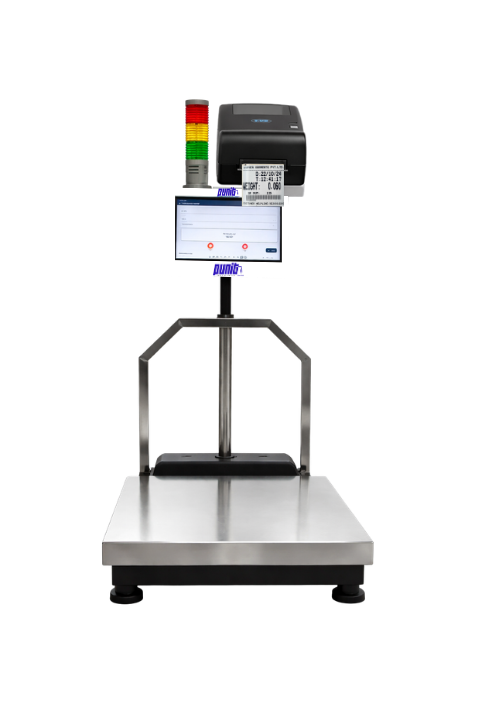
Punit How to Connect Weighing Scale to Printer – touchscreen based weighing system with barcode label printer
Real Punit product Touchscreen · Platform · Printer · Punit ERP
LIVE WEIGHT124.850 kg
Configured quotationMatched to the application
0.200 mg - 10 tonRange across configurations
5-year warrantySubject to quotation terms
Industrial + retailApplication configured
01 / FIT

Who should consider this system?

Start with the operational outcome. Hardware selection follows the material, handling method and data journey.

02 / WORKFLOW

From stable weight to a traceable transaction.

Each step is controlled, visible and designed around the operator.

  1. 01

    Identify both device interfaces

  2. 02

    Confirm electrical and protocol compatibility

  3. 03

    Configure communication settings

  4. 04

    Map weight and business fields into a template

  5. 05

    Run zero, stable load, disconnect and reprint tests

03 / SYSTEM

Specify the complete system.

Final values depend on the actual material, operating environment and required integration.

Direct connectionSimple, but limited by indicator firmware
Software-mediatedFlexible templates, validation and storage
Printer pathsSerial, USB, Ethernet or supported wireless
ProtocolIndicator data format and printer command language
SafetyUse isolated, approved interfaces where required
04 / OUTPUT

What the label can carry.

Use a readable layout and a stable transaction identity. Print only the fields operators and downstream systems genuinely need.

Product and gradeGross, tare and net weightBatch or heat numberDate, time and operatorUnique barcode or QR codeCustomer-defined traceability fields
PUNIT INSTRUMENTPRODUCTION LABEL

ALUMINIUM COIL · 6061

Gross
148.250 kg
Tare
23.400 kg
Net weight
124.850 kg
||| || |||| | ||| || ||||
TXN · 260711-0042 · LINE 02
REAL OUTPUT · LIVE SYSTEM PROOF

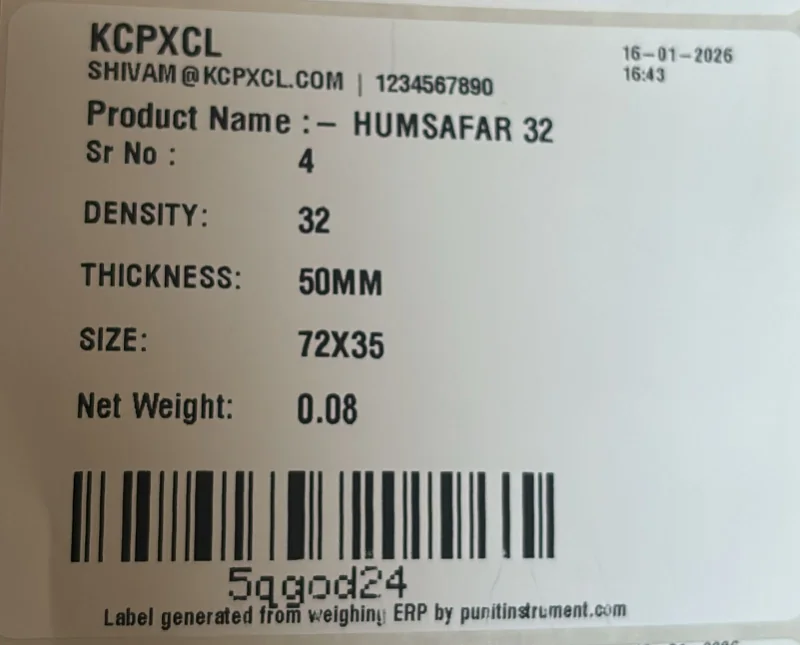
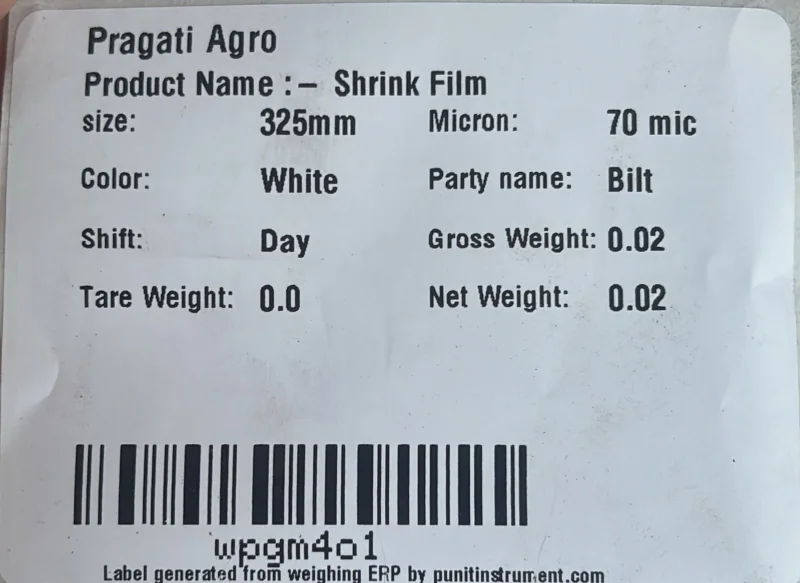
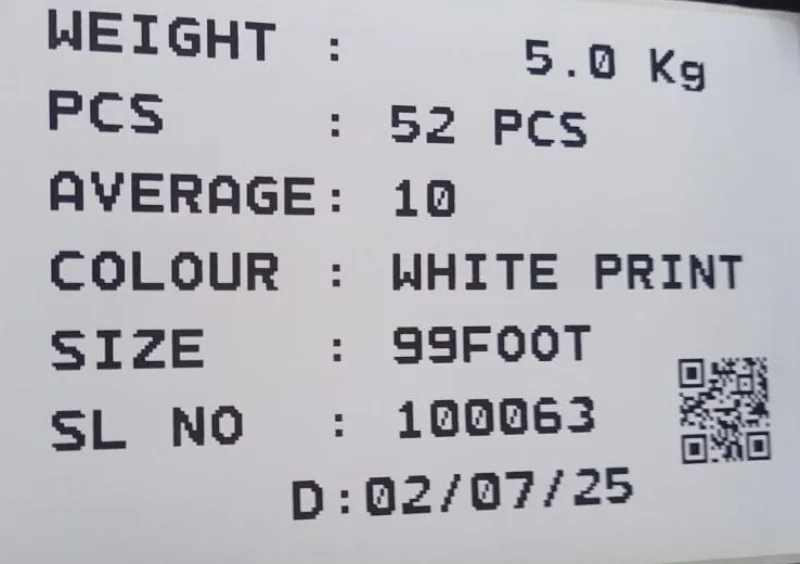
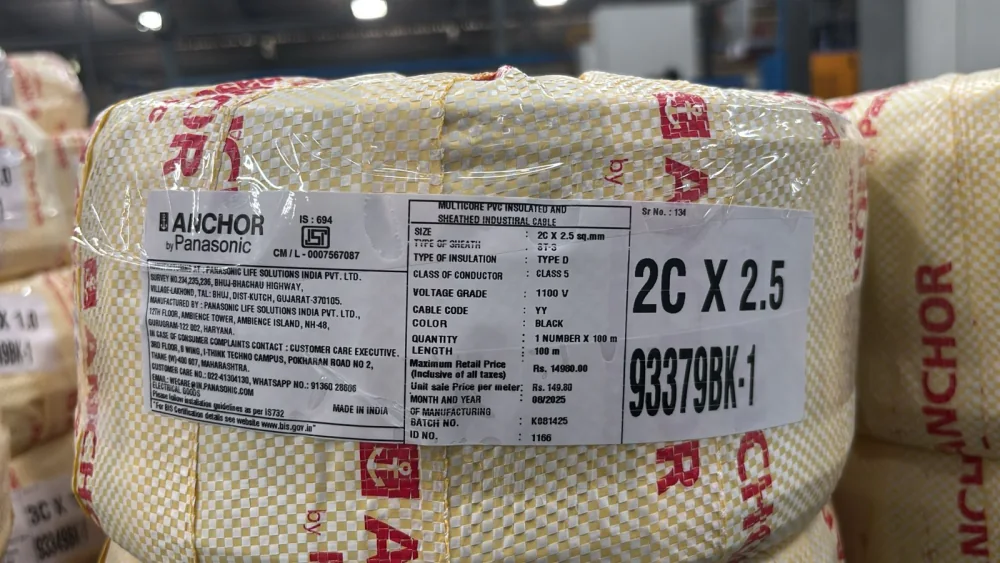
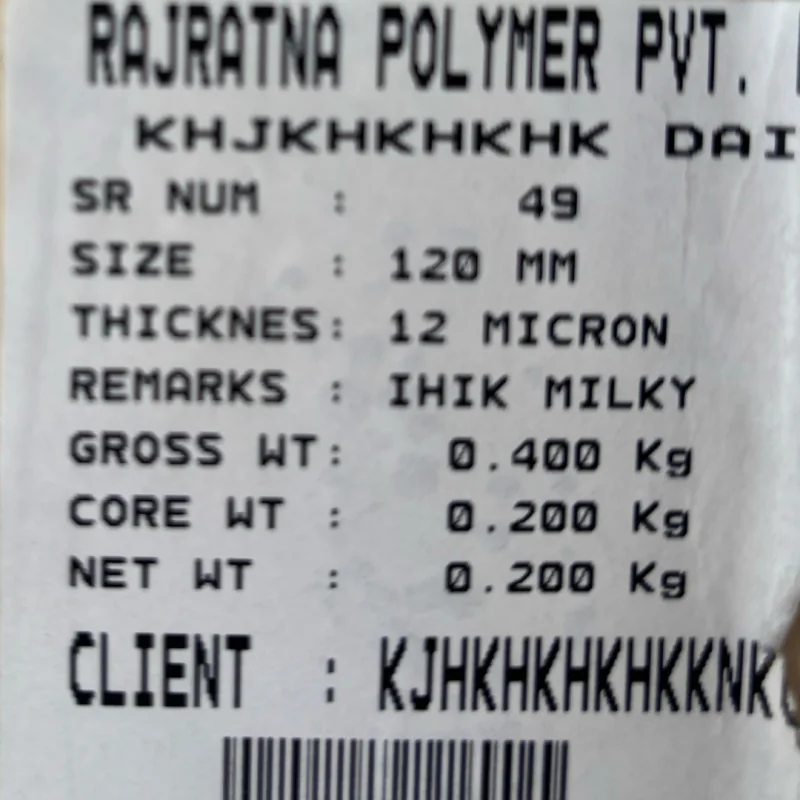
Labels printed by Punit weighing scales.

Customer-supplied photographs of live printed output across industries. These examples show how how to connect weighing scale to printer can carry the fields each factory actually needs—not a fixed generic label.
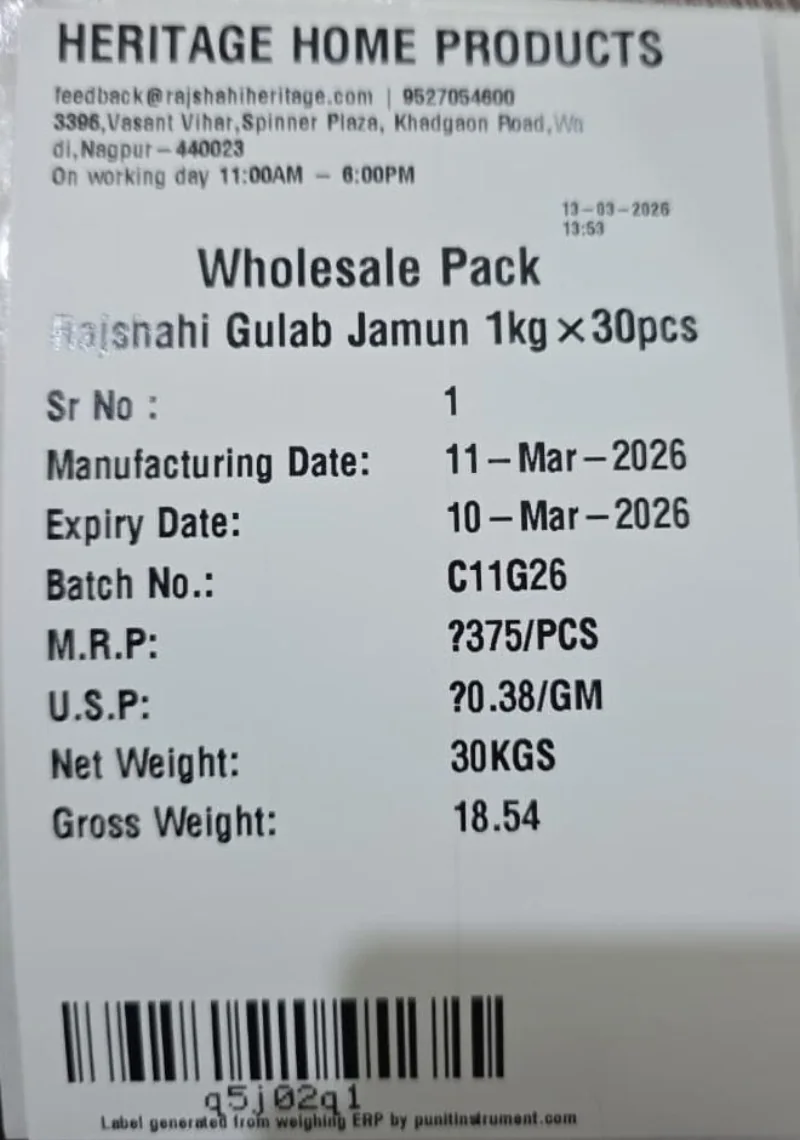
Real fmcg food & sweets barcode weight label printed from a Punit weighing scale with printer
FMCG food & sweetsWholesale-pack label with manufacturing and expiry dates, batch, MRP, gross/net weight and barcode.
Real plastic & shrink-film rolls barcode weight label printed from a Punit weighing scale with printer
Plastic & shrink-film rollsRoll size, micron, remarks, gross, core and net weight with customer and barcode.
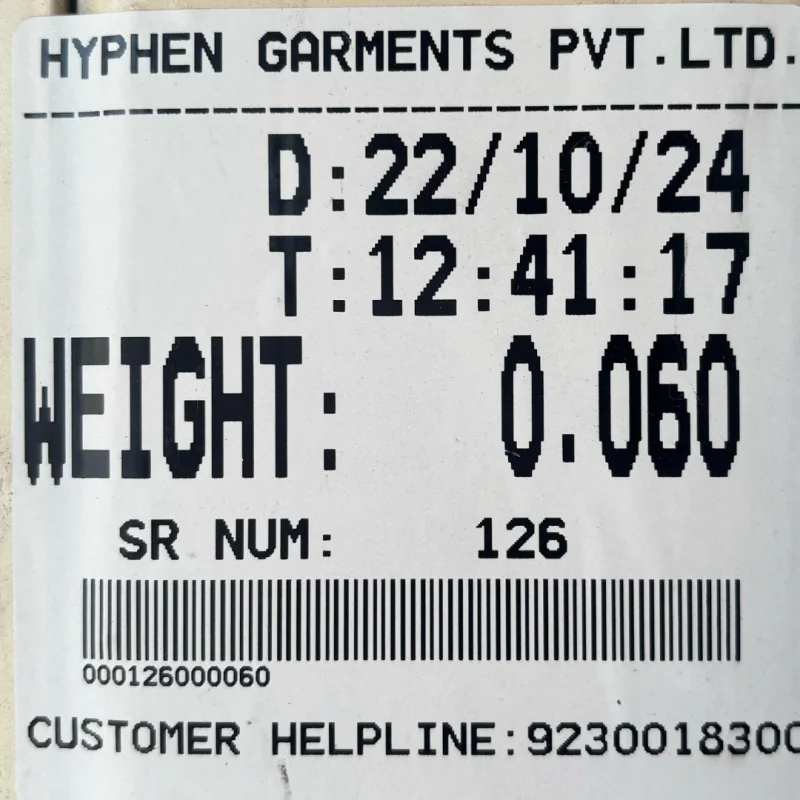
Real textile & garments barcode weight label printed from a Punit weighing scale with printer
Textile & garmentsDate, time, serial number, accepted weight, customer reference and barcode.
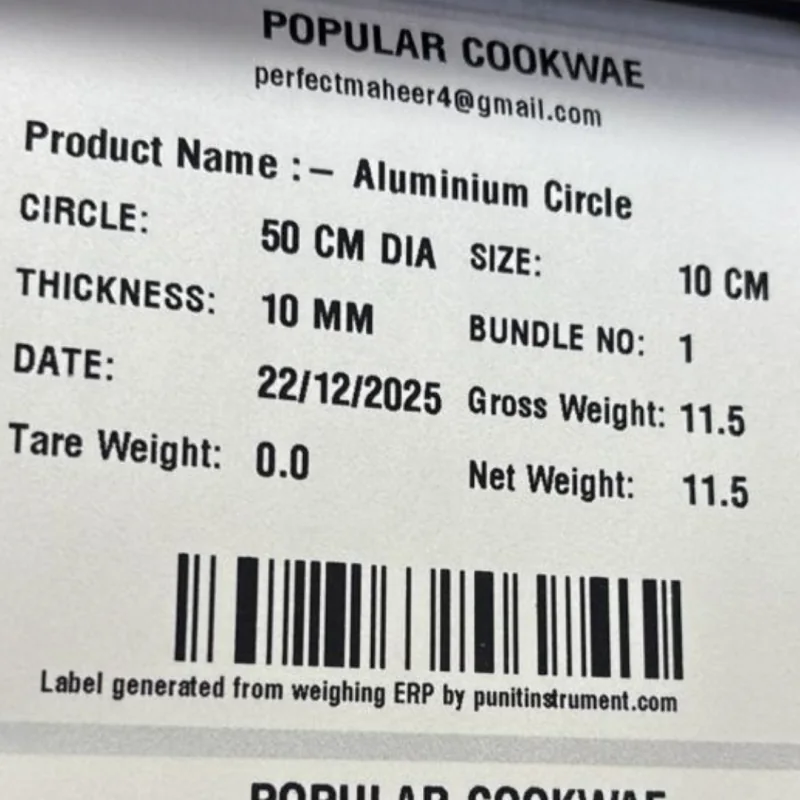
Real aluminium cookware barcode weight label printed from a Punit weighing scale with printer
Aluminium cookwareDiameter, thickness, bundle number, gross/tare/net weight and barcode identity.
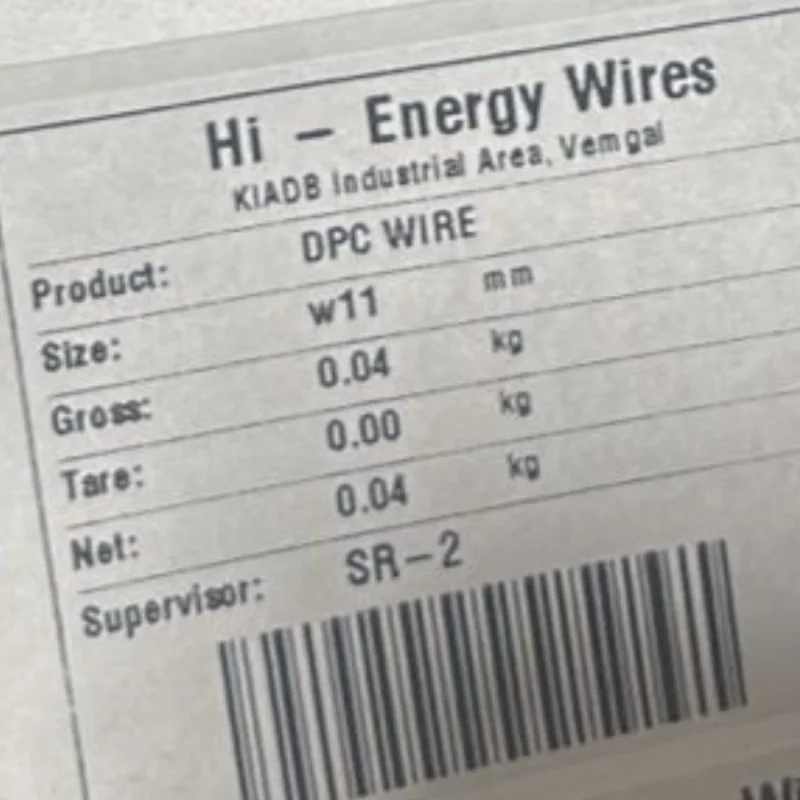
Real wire & cable bobbins barcode weight label printed from a Punit weighing scale with printer
Wire & cable bobbinsWire size, gross, tare and net weight, supervisor and barcode.
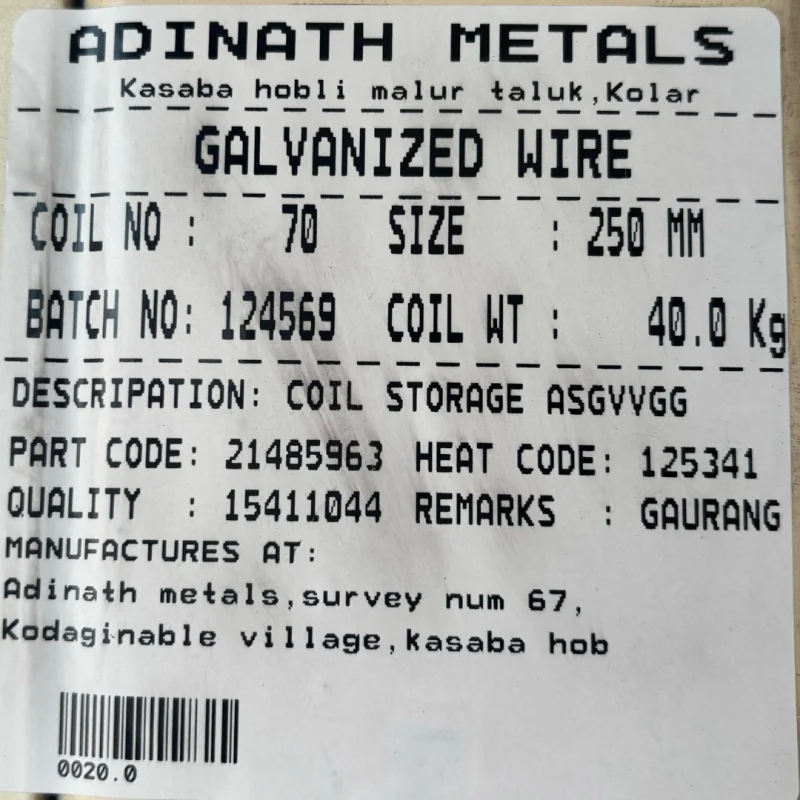
Real galvanized wire coils barcode weight label printed from a Punit weighing scale with printer
Galvanized wire coilsCoil number, size, batch, coil weight, part code, heat code, quality and barcode.
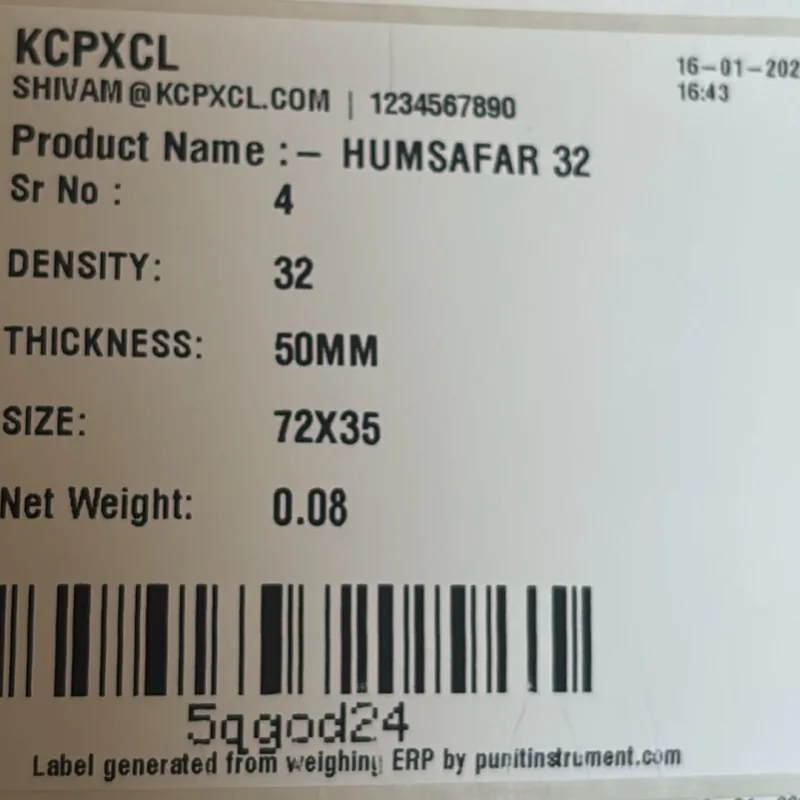
Real foam & insulation sheets barcode weight label printed from a Punit weighing scale with printer
Foam & insulation sheetsDensity, thickness, size, serial number, net weight and barcode.
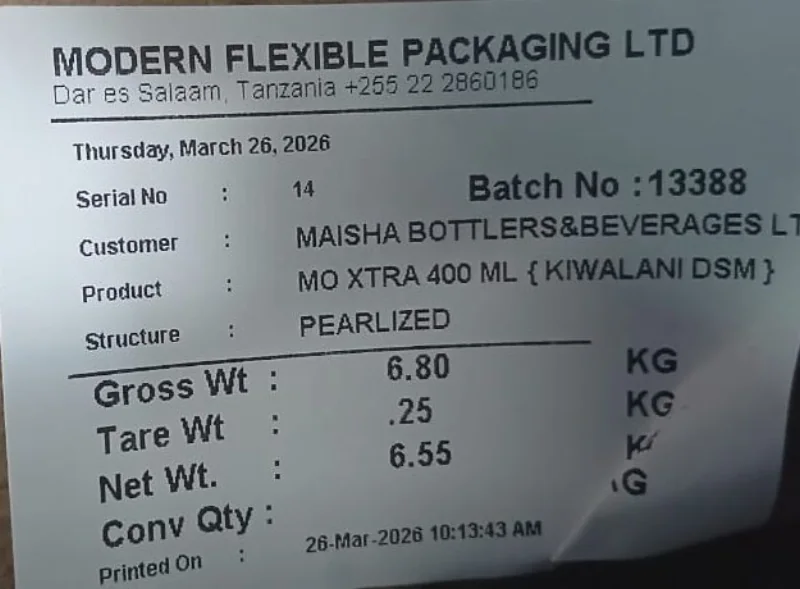
Real flexible packaging barcode weight label printed from a Punit weighing scale with printer
Flexible packagingCustomer, product structure, batch, gross/tare/net weight and conversion quantity.
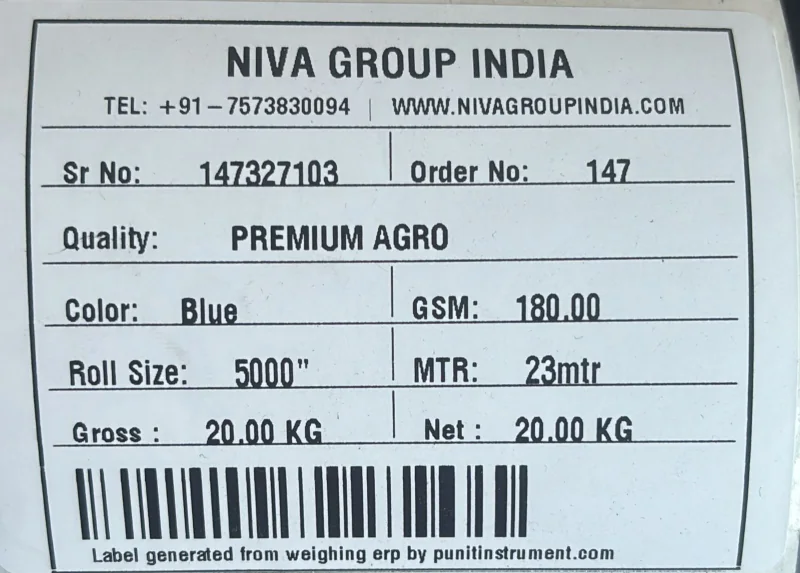
Real non-woven fabric rolls barcode weight label printed from a Punit weighing scale with printer
Non-woven fabric rollsQuality, colour, GSM, roll size, metres, gross/net weight and barcode.
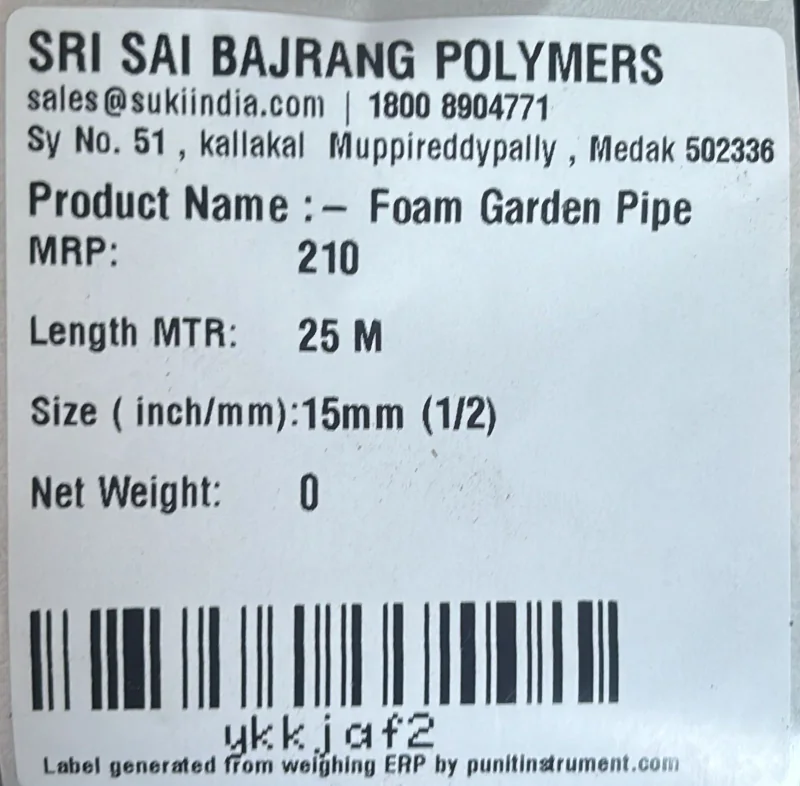
Real polymer & garden pipes barcode weight label printed from a Punit weighing scale with printer
Polymer & garden pipesProduct, MRP, length, pipe size, net weight and barcode.
Real foam product manufacturing barcode weight label printed from a Punit weighing scale with printer
Foam product manufacturingDensity, thickness, dimensions, net weight and scan-ready barcode.
Real shrink-film production barcode weight label printed from a Punit weighing scale with printer
Shrink-film productionSize, micron, colour, party, shift, gross/tare/net weight and barcode.
Real tarpaulin & technical textiles barcode weight label printed from a Punit weighing scale with printer
Tarpaulin & technical textilesWeight-to-pieces conversion, average weight, colour, size, serial and QR code.
Real electrical cable packaging barcode weight label printed from a Punit weighing scale with printer
Electrical cable packagingCable specification, quantity, length, MRP, manufacturing batch and package identity.

Real printed samples supplied by Punit. Customer names and fields appear as printed; final label size, layout, barcode type and data fields are configured for each approved application.

05 / BUYER NOTE

Recommended industrial setup

Use a separated transport, weight parser, transaction validator and printer adapter. This keeps the operator screen independent from device-specific code and makes future printer or scale changes easier.

FEATURES FOR THIS REQUIREMENT

What this how to connect weighing scale to printer must solve.

Features are selected for this page's buying intent—not copied as a generic list.

01

Check the scale output and printer input

The system should complete this step with stable weight capture, clear operator feedback and an auditable result.

02

Document baud rate, wiring and printer language

The system should complete this step with stable weight capture, clear operator feedback and an auditable result.

03

Decide whether additional product fields are required

The system should complete this step with stable weight capture, clear operator feedback and an auditable result.

04

Plan error, reconnect and reprint behavior

The system should complete this step with stable weight capture, clear operator feedback and an auditable result.

05

Identify both device interfaces

The system should complete this step with stable weight capture, clear operator feedback and an auditable result.

06

Confirm electrical and protocol compatibility

The system should complete this step with stable weight capture, clear operator feedback and an auditable result.

HARDWARE + SYSTEM SPECIFICATION

Published configuration for how to connect weighing scale to printer.

Final values are confirmed in the quotation after reviewing the application.

Direct connectionSimple, but limited by indicator firmware
Software-mediatedFlexible templates, validation and storage
Printer pathsSerial, USB, Ethernet or supported wireless
ProtocolIndicator data format and printer command language
SafetyUse isolated, approved interfaces where required

Normal scale vs Punit touchscreen system

Operator outputNormal: weight display onlyPunit: guided product, weight and print workflow
Data entryNormal: handwritten or manually typedPunit: compatible live scale capture
TraceabilityNormal: no package identityPunit: barcode/QR label and transaction history
Stock & dispatchNormal: separate registersPunit: inventory, scanning and dispatch reports
ConnectivityNormal: isolated indicatorPunit: hybrid cloud/offline Punit ERP
EXPERIENCE + TECHNICAL REVIEW

Reviewed from both sides of the system.

Last technically reviewed 18 July 2026 · Product scope is confirmed in the final quotation.

Gaurang VakhariaDirector · Weighing Systems

Approximately 30 years of experience reviewing weighing capacity, platform, loading, installation and Legal Metrology considerations.

Saumya VakhariaTechnology · Automation

Approximately six years of experience reviewing Punit ERP, printing, inventory, inward, dispatch and connected weighing workflows.

Read the Punit story, address and credentials →
LIVE PRODUCT VIDEO

Watch the weighing scale print a real label.

See the complete Punit system in operation: live weight capture, touchscreen controls, product details and printed output. Use the video to understand the hardware before requesting a configuration for how to connect weighing scale to printer.

06 / QUESTIONS

Practical questions, answered.

Seven intent-specific answers for buyers evaluating this exact requirement.

Will a USB cable alone work?+

Not necessarily. Both devices need compatible USB roles, drivers and a shared command workflow.

Can Bluetooth be used?+

Yes, when the specific devices and industrial environment support a reliable approved transport.

Why is software useful?+

It adds product selection, validation, templates, storage, audit and integration capabilities.

How is the final how to connect weighing scale to printer configuration selected?+

The configuration follows the material, handling method and required workflow. Important published items include Direct connection: Simple, but limited by indicator firmware; Software-mediated: Flexible templates, validation and storage; Printer paths: Serial, USB, Ethernet or supported wireless.

What should be demonstrated before ordering?+

Ask Punit to run a representative workflow for check the scale output and printer input and document baud rate, wiring and printer language, including the required print and stored transaction.

Discuss your application

Build the right weighing workflow before choosing hardware.

Share your material, capacity, label and software requirement directly with the Punit product team.

QUICK ENQUIRY

Get the right how to connect weighing scale to printer configuration

Share your application. The completed enquiry opens in WhatsApp so you can send it directly to Punit.

No payment required. Configuration and final price are confirmed after application review.